Kalasar MCP Integration
Connect Claude directly to Kalasar.ai's campaign engine. Author sharp brief briefs, update organizations' persistent memories, and launch complete campaigns from a conversational interface.
🎮 Try the Interactive Arcade Tour
Don't want to copy paste config strings? Click through the live simulation of the Kalasar MCP installation right inside your browser!
1. Connecting the Kalasar MCP Server
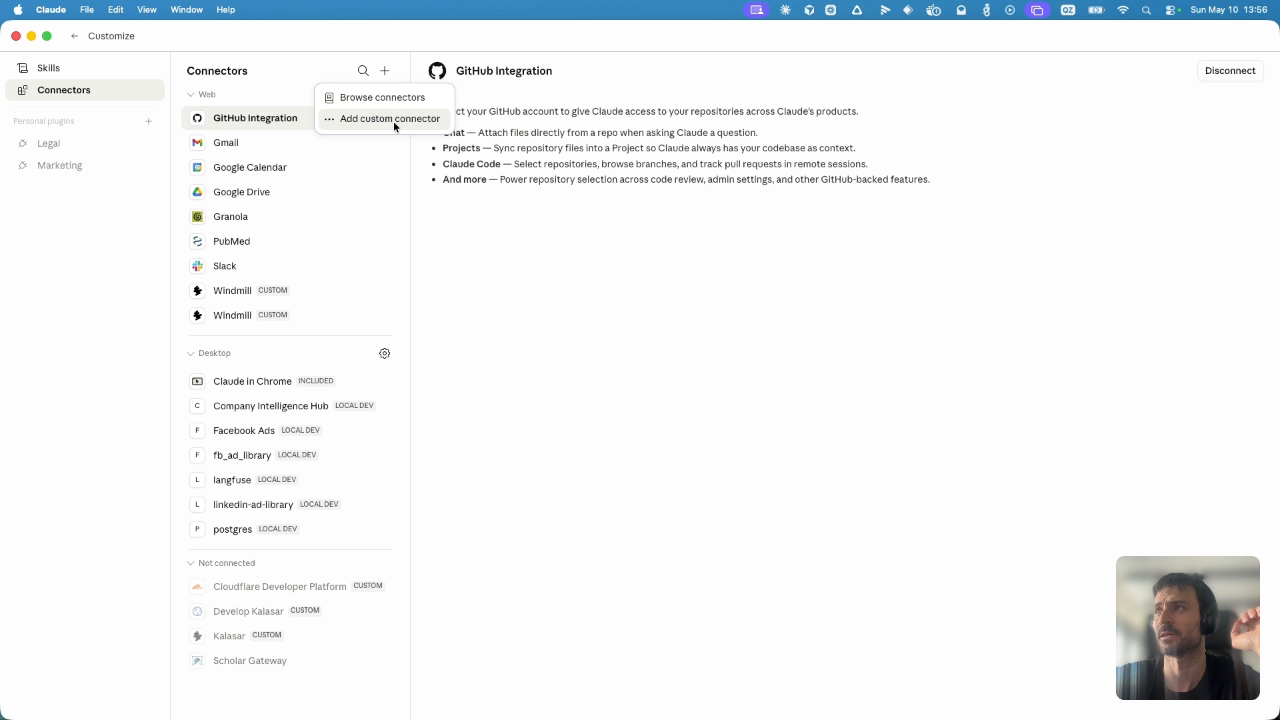
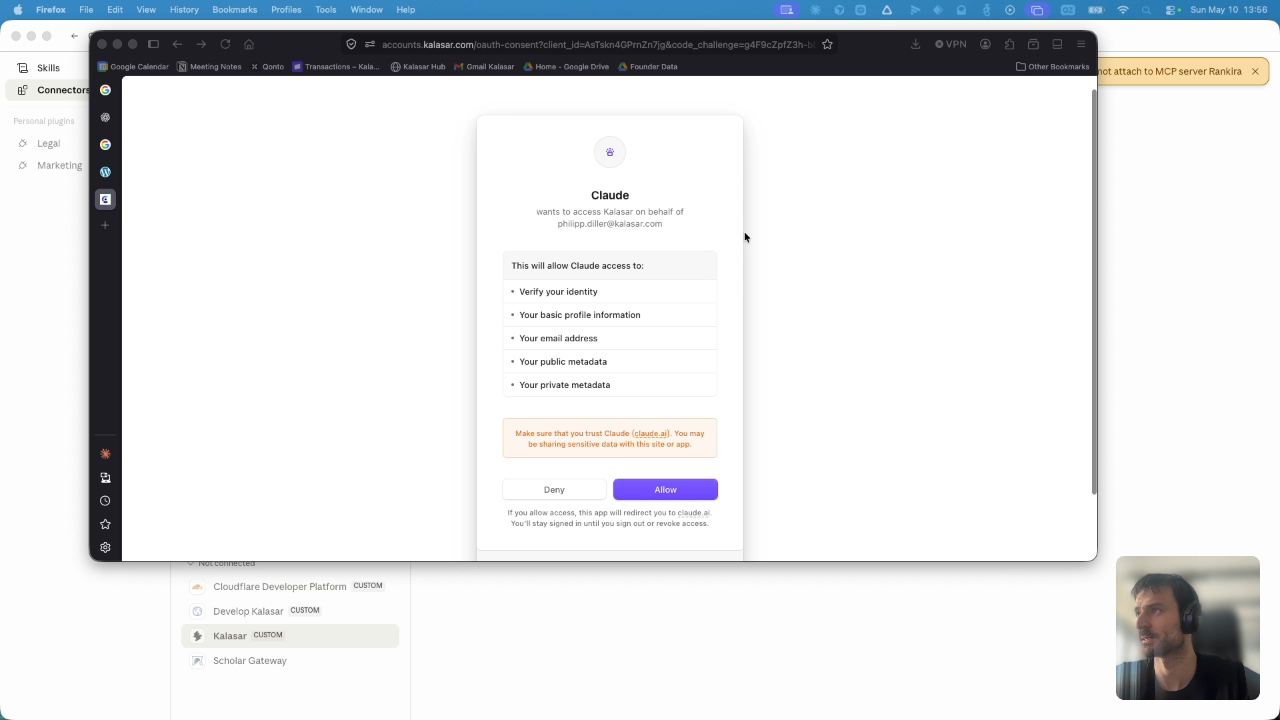
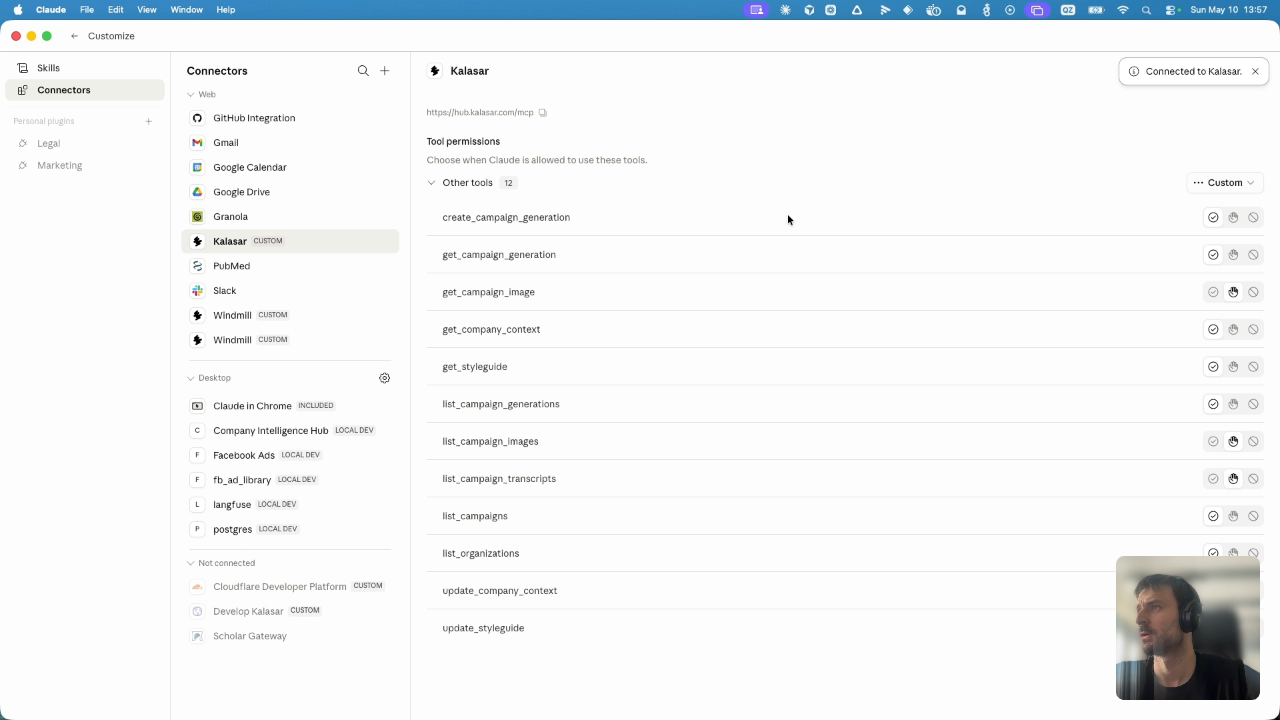
The Model Context Protocol (MCP) acts as the secure bridge allowing Claude to run back-end tools on the Kalasar platform. Complete these steps to configure your custom connector.
https://hub.kalasar.com/mcp/, then click Add.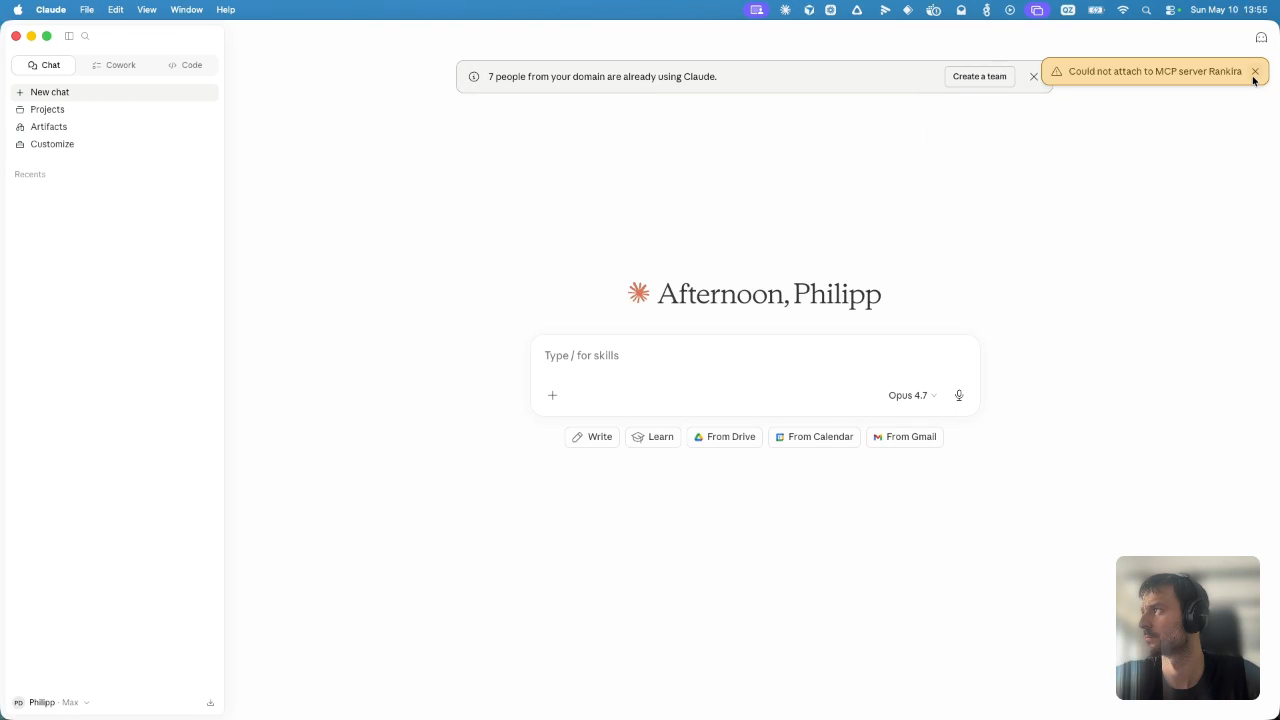
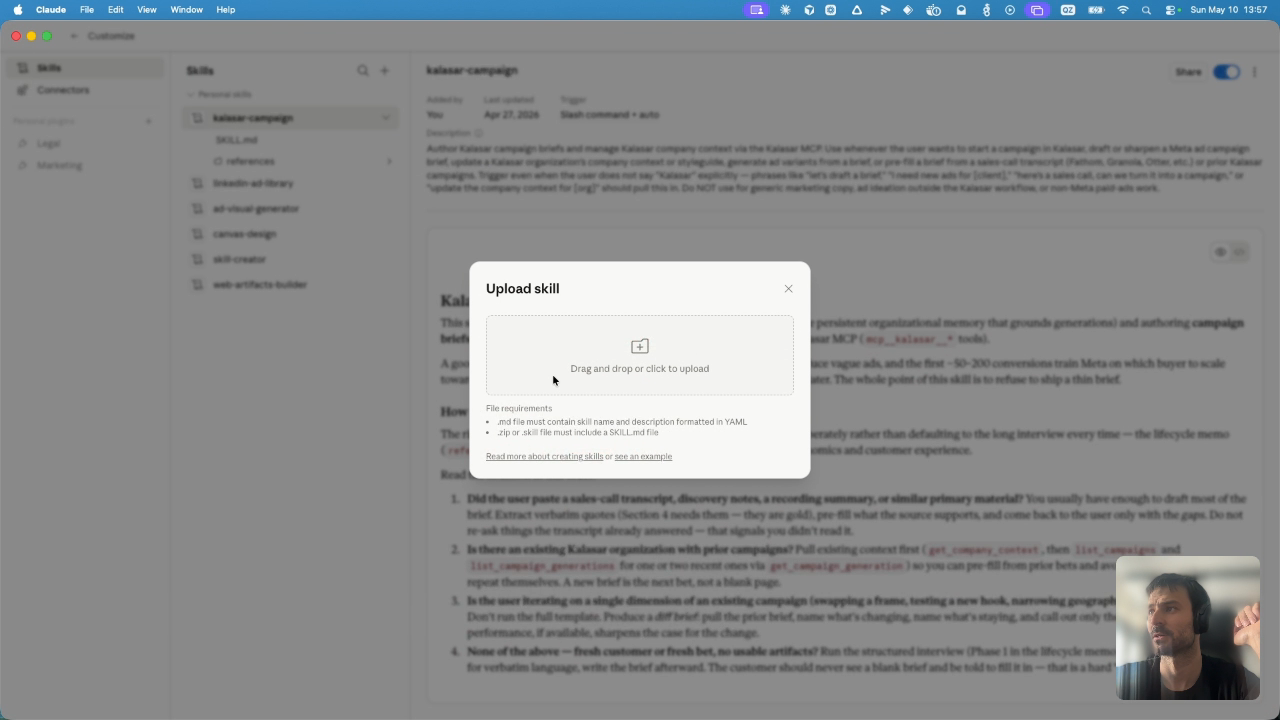
2. Uploading the Campaign Skill
A custom skill acts as the logic director for Claude. It guides you dynamically through building high-converting briefs and orchestrates calls to the MCP tools we just connected.
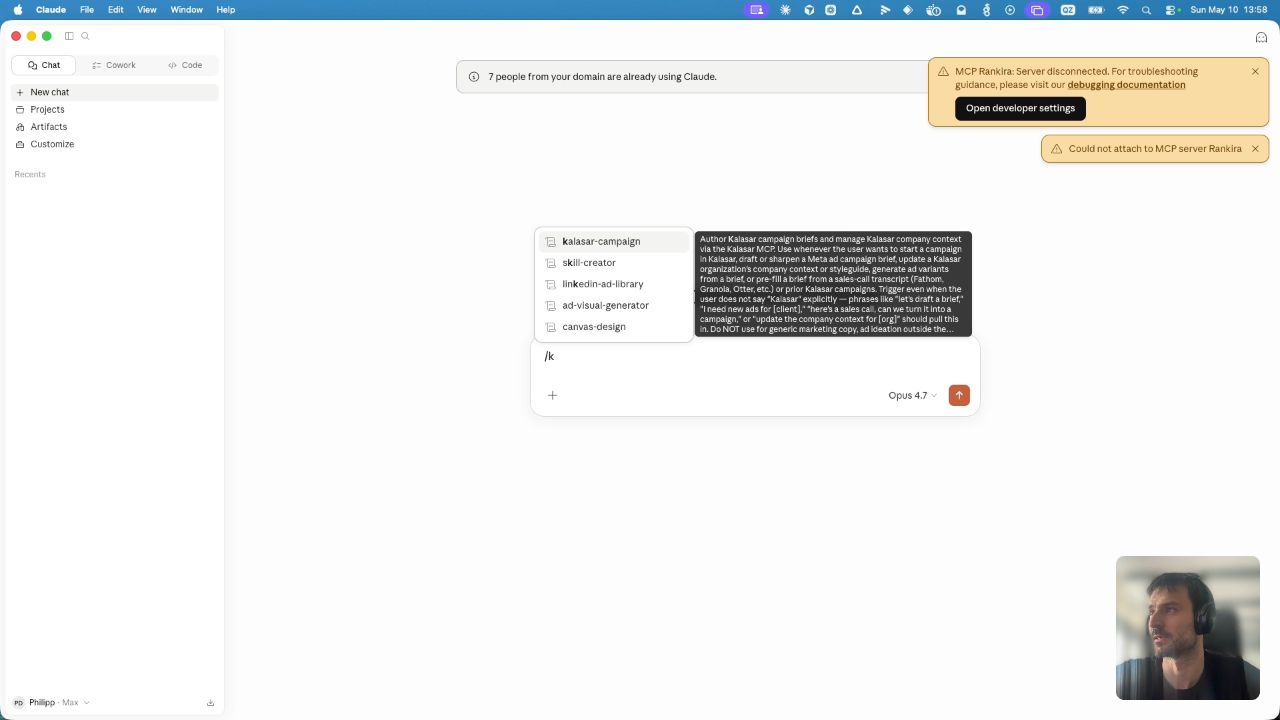
kalasar-campaign.zip archive file./kalasar-campaign, and select the skill trigger from the list.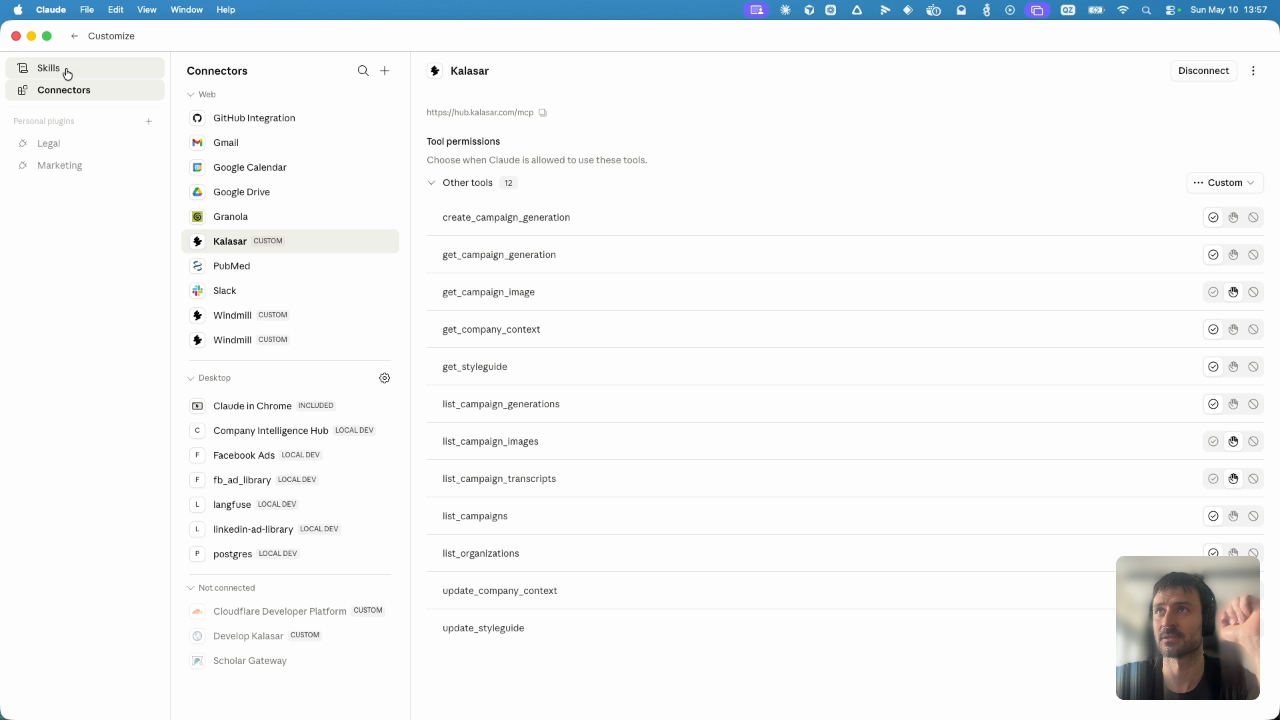
3. Connected Kalasar Tools Reference
When connected, the Kalasar MCP server registers 11 custom tools inside Claude. The assistant can execute these to interact with organization structures, persistent company settings, and live Meta campaign outputs.
Determines which Kalasar workspace context the user is currently operating in. Run this read command before updating styling rules or publishing briefs when multiple accounts exist.
No required parameters. Returns array of { org_id, org_name, plan }.
Pulls the persistent organization memory of a designated business entity. Contains durable data including product mechanics, ideal customer profiles, geography filters, and target demographics.
org_id (string) - Unique identifier of the organization.
Updates persistent business facts. Run whenever the user reveals general, durable corporate changes (e.g., "we no longer sell to residential addresses") rather than transient campaign-specific features.
org_id (string) - Unique organization identifier
context_payload (object) - New corporate metrics to append
Fetches corporate tone guides, voice structures, forbidden vocabulary lists, and jargon guidelines. Protects creatives from deploying non-compliant language assets.
org_id (string) - Organization target ID.
Appends word constraints and stylistic instructions directly into the corporate style guide. Ensures future generations automatically inherit voice safeguards.
org_id (string) - Organization target ID
style_payload (object) - New voice rules, jargon exceptions, or banned words
Queries historical meta ad runs on the Kalasar platform. Prevents pitch duplication and helps Claude identify historical, high-performing creative hypotheses.
org_id (string) - Target workspace.
The core transactional operation. Invokes the back-end ad-rendering pipeline once a brief has been completed and verified by the customer. Do not execute speculatively on a draft.
org_id (string) - Organization target ID
brief_markdown (string) - Fully structured brief following template parameters
4. The Campaign Brief Blueprint
The brief is Kalasar's primary artifact for capturing what makes a campaign sharp. It is not an intake form to copy-paste to customers—it is written based on high-touch discovery sessions, pre-filled with data contexts, or iterated dynamically.
Best for established offers with precise known buyers, regional services, or tight B2B ICPs. Meta will optimize strictly within a defined structural audience.
Best for new product launches, positioning experiments, or untested markets. No hard audience boundaries are set—instead, you deploy a highly polarizing problem statement, and let Meta route to segment buyers who lean in.
One brief can support multiple ad hooks, but each hook must commit to one psychological framing. Never blend framings in a single ad variant. Contrast them to test different buyer motivations.
Latent Loss / Discovery Frame
Curiosity & Mild Self-RecognitionCore Concept: Highlight a silent, bleeding cost that the buyer is currently unaware of. Guide them toward self-diagnosing the issue.
Discovery-curious, analytical, value-conscious buyers who want to ensure they are not overpaying or falling behind.
Listen for: "I didn't even know we were paying that," or "It felt like a leak we couldn't locate."
# Campaign Brief

This brief tells our pipeline what to build. Vague answers produce vague ads.

## Section 1 — Who is this for?
Your chosen mode (A - Capture or B - Discovery): [A or B]

### If Mode A (Capture):
1.1A Who is the sharpest version of your buyer? (Industry, size, role)
> Your answer:

1.2A How tightly can we target geographically while still hitting enough buyers?
> Your answer:

### If Mode B (Discovery):
1.1B What problem statement, said plainly, makes the right buyer stop scrolling?
> Your answer:

1.2B Who do you suspect might lean into this problem? List 2–4 buyer types.
> Your answer:

1.3B Geofilters:
> Your answer:

---

## Section 2 — What counts as success?
2.1 What does a qualified lead look like for you? (Operational criteria)
> Your answer:

2.2 What does a junk lead look like? (Clear negative patterns to exclude)
> Your answer:

---

## Section 3 — The bet
3.1 What is the one realization we want to put in the buyer's head?
> Your answer:

3.2 Which frames will we use to land that realization? (Select Primary + 1-2 contrast variants)
> Primary Frame:
> Variant 2 Frame:

3.3 What is the cost of inaction we want the buyer to feel? (Time, money, productivity leaks)
> Your answer:

3.4 What is the one reason the buyer should pick you that alternative setups can't claim?
> Your answer:

---

## Section 4 — The buyer in their own words
4.1 What does your buyer's actual language sound like? Three real sentences in their voice.
> "..."
> "..."
> "..."

4.2 Walk us through the last buyer who said yes — what was the moment they decided?
> Your answer:

---

## Section 5 — The offer
5.1 What does the buyer get, in the words they'd use telling a colleague?
> Your answer:

5.2 What is the felt result, in one plain sentence the buyer would say?
> Your answer:

5.3 How can we create a frictionless journey? (Estimated steps with times)
> Your answer:

5.4 How can we lower the perceived risk of the buyer? (Guarantees, takeovers, etc. If none, leave blank)
> Your answer:

5.5 What language traps could break trust or sound off to your buyer? (Acronyms, competitor vocabulary)
> Your answer: